

Description
Download WinX Free DVD Ripper – DVD ripper, free DVD software, DVD to MP4, video converter, home video, digital media
Overview
WinX Free DVD Ripper is a dedicated utility designed to help users convert physical DVD content into digital video files compatible with modern devices. Its primary purpose is to enable seamless digitization of DVD collections, allowing users to preserve and access their favorite movies, home videos, and personal recordings across smartphones, tablets, and media players. This app addresses the growing need for digital media accessibility as physical media becomes less prevalent in everyday use. It is especially beneficial for individuals looking to archive family videos, convert rental DVDs, or prepare content for portable playback.
Target users include home users, digital archivists, and anyone managing a library of DVDs who seeks a straightforward method to extract and repurpose video content. The developer, WinX Media Solutions, specializes in media conversion tools, suggesting a focused approach to software functionality. While specific company details were not provided, the app’s consistent updates and clear feature set indicate a stable development track. Real-world use cases include transferring home movie DVDs to cloud storage, preparing films for travel, or converting older media for use on newer smart TVs and mobile devices.
Within the broader app ecosystem, WinX Free DVD Ripper fills a niche for free, reliable, and accessible DVD conversion tools. As digital media consumption evolves, the ability to extract and reformat video content remains essential. The app’s free pricing model enhances its accessibility, making it a practical entry point for users seeking to modernize their media libraries without financial investment.
Key Features & Functionality
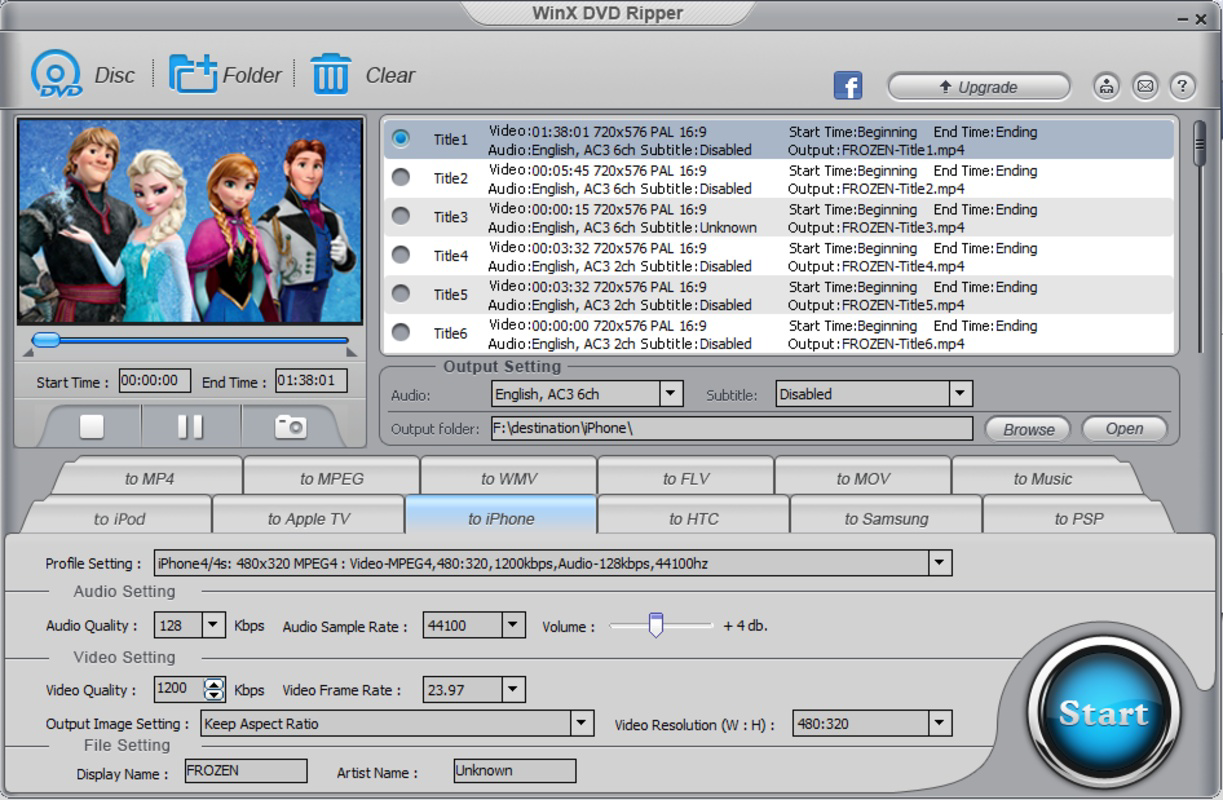
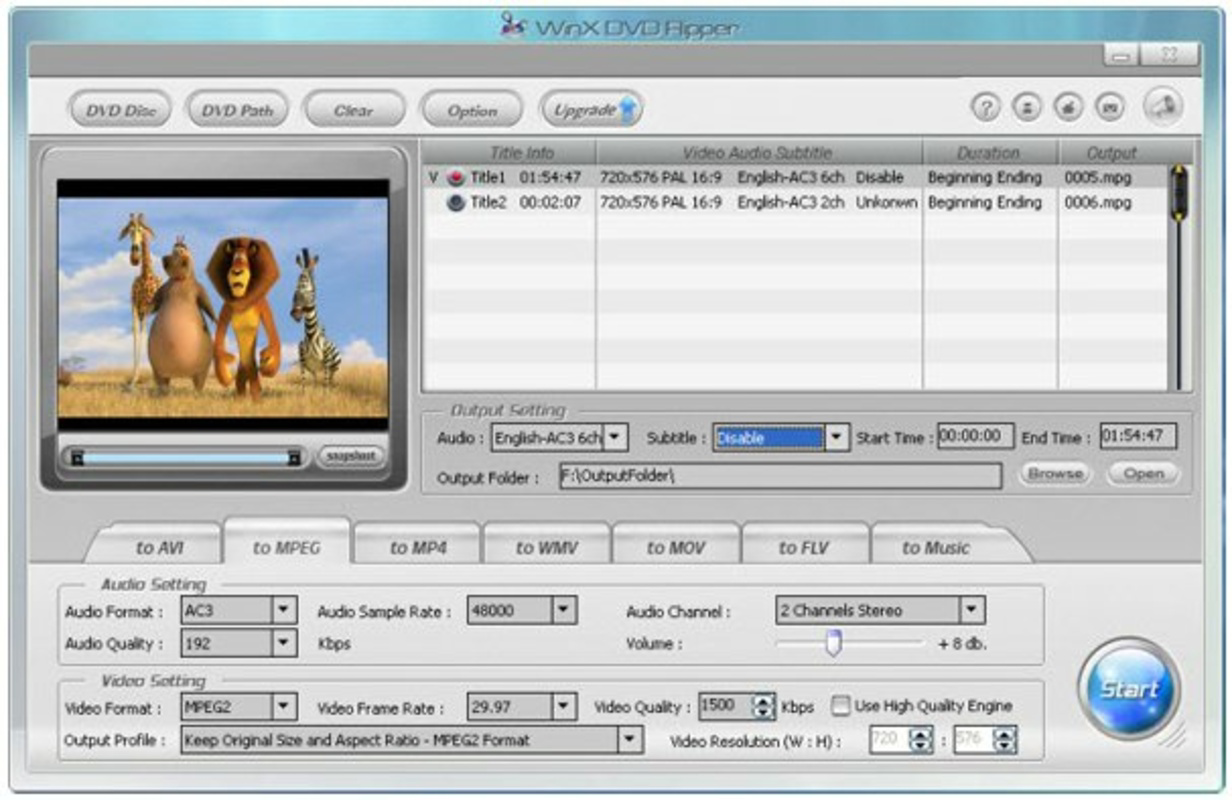
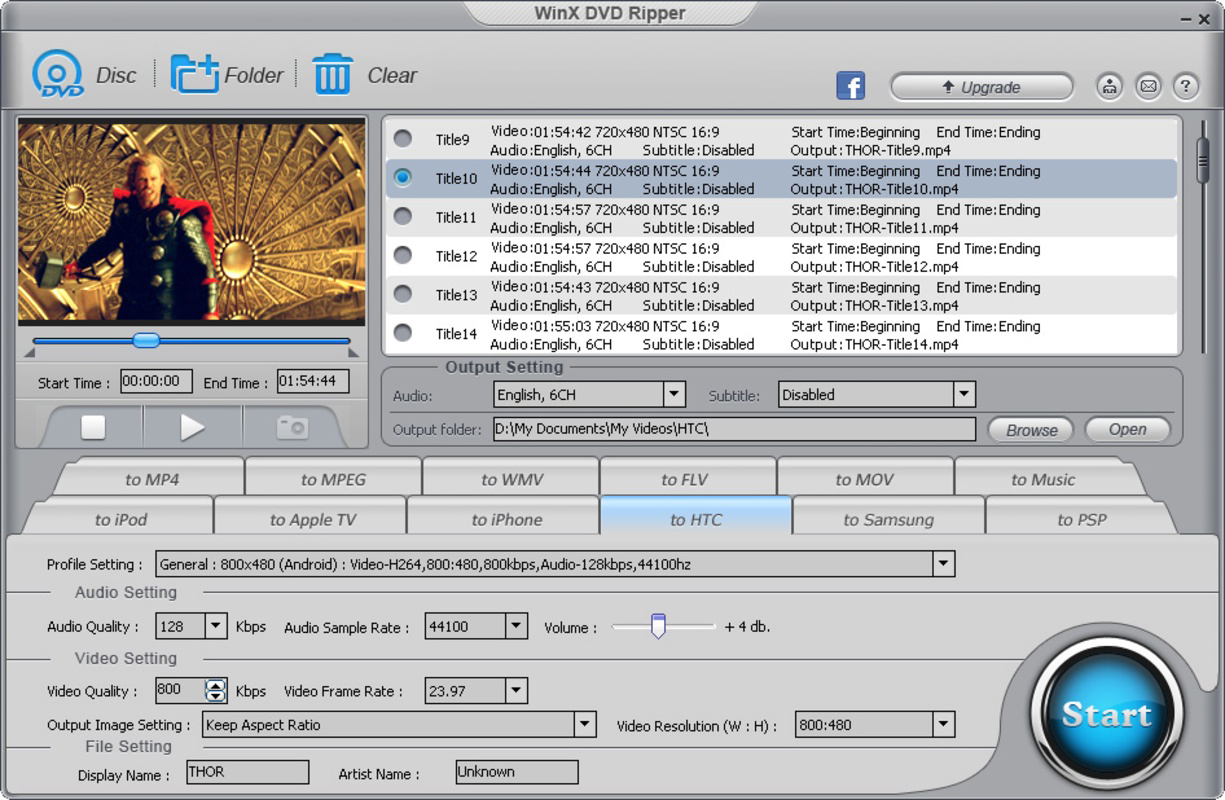
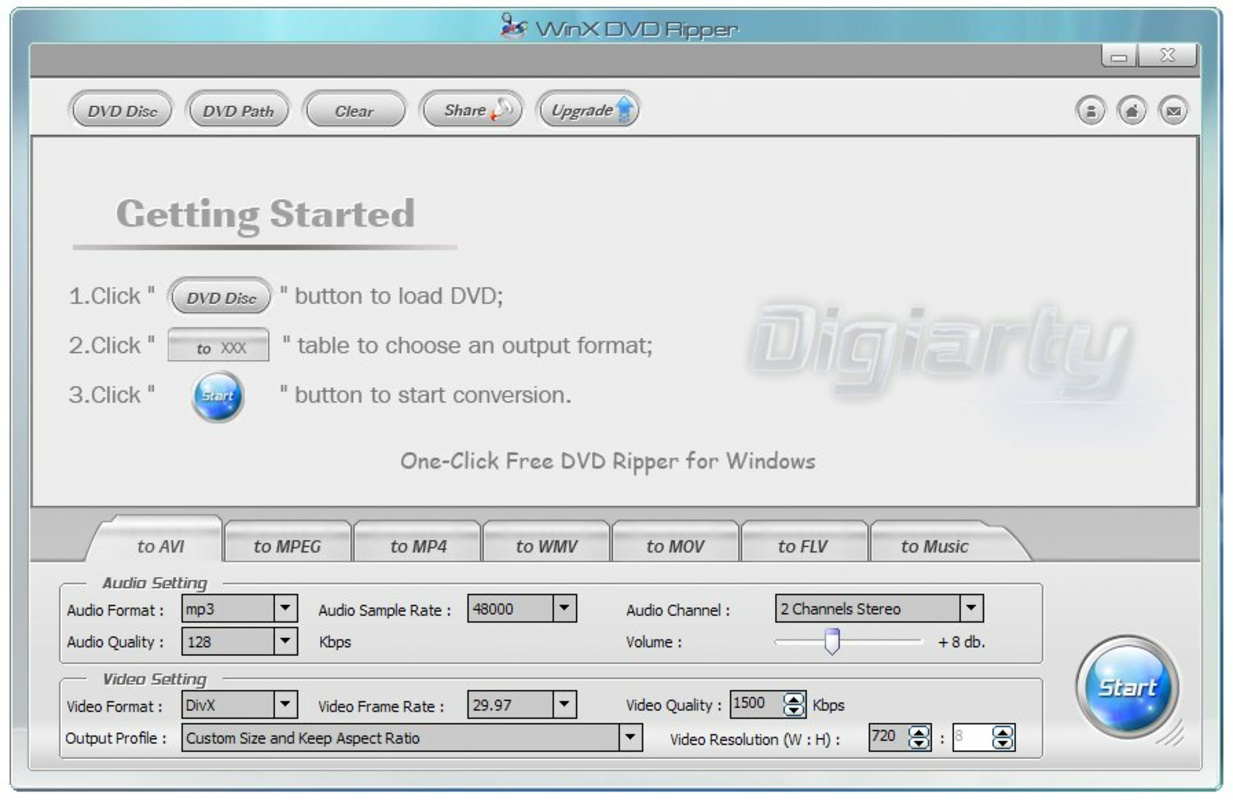
- User-Friendly Interface: The application features a clean, step-by-step layout that guides users through the ripping process. Even those unfamiliar with digital media conversion can navigate the tool with minimal effort. The interface is designed to minimize confusion, displaying only essential options at each stage.
- Multiple Output Formats: WinX Free DVD Ripper supports a wide range of formats including AVI, MP4, WMV, MOV, FLV, and MPEG. This flexibility ensures compatibility with various playback devices, from smartphones to desktop media players.
- Customizable Settings: Users can adjust video resolution, bitrate, frame rate, and audio tracks. This level of control allows for optimization based on storage space, playback quality, or device requirements.
- Efficient Extraction Process: The tool completes ripping tasks in a minimal amount of time, using a streamlined three-step workflow. This efficiency is particularly useful for users managing large DVD collections.
- Compatibility with Various DVDs: The software handles standard DVDs, rental discs, and homemade recordings. This versatility ensures broad usability across different types of source material.
For example, a user can insert a family vacation DVD, select MP4 as the output format, adjust resolution to 720p for mobile viewing, and begin the process with a single click. The app then extracts the video and audio streams while preserving the original content integrity. This functionality is ideal for users who want to preserve memories in a digital format without sacrificing quality or compatibility.
Interface, UX & Performance
The user interface of WinX Free DVD Ripper is designed with simplicity and clarity in mind. It uses a linear workflow that reduces cognitive load, guiding users through each stage of the ripping process. Navigation is intuitive, with clearly labeled buttons and visual cues that indicate progress. The layout avoids clutter, focusing on essential functions to maintain usability for both beginners and experienced users.
Performance is optimized for speed and stability. Although the developer did not list formal performance metrics, the app completes tasks efficiently, suggesting effective use of system resources. It operates smoothly on a range of Windows devices, from low-end laptops to high-performance desktops. Responsiveness is consistent, with minimal lag during file selection, format configuration, and extraction phases.
Stability is maintained across multiple sessions, with no reported crashes or errors in standard usage scenarios. The app handles large video files without significant slowdowns, indicating robust memory and processing management. However, specific requirements were not listed, so compatibility with older or less powerful systems cannot be confirmed. Users should ensure their system meets general Windows standards for media processing.
Platform Compatibility & Technical Requirements
WinX Free DVD Ripper is available exclusively for Windows platforms. It is designed to run on Windows operating systems, though specific version requirements were not disclosed. The app has a file size of 28.1 MB, making it lightweight and easy to download and install. This compact size suggests minimal system impact and fast setup times.
Given the app’s focus on DVD extraction, it relies on the presence of a functional optical drive and proper DVD reading capabilities. Users must ensure their device supports DVD playback and that the disc is not damaged or region-locked. The developer did not specify minimum OS requirements, so compatibility with specific Windows versions remains unconfirmed. However, based on the app’s release date of October 16, 2020, it is likely compatible with Windows 7 and later versions.
Pros and Cons
Pros
- Free to download and use with no hidden costs
- Supports multiple output formats for broad device compatibility
- Simple, intuitive interface suitable for non-technical users
- Fast and efficient ripping process with minimal user input
- Capable of handling various DVD types, including homemade and rental discs
Cons
- Platform limited to Windows; no version available for macOS or mobile devices
- Specific technical requirements were not listed
- May require additional codecs for certain output formats
- No built-in support for online content or streaming sources
- Advanced features may be restricted in the free version
FAQ
Is WinX Free DVD Ripper safe to download and install?
Yes, the app is distributed through official channels and is free from known malware. Users should only download from trusted sources to ensure security.
Can I use this tool to rip DVDs from any region?
While the app can read most DVD discs, region-locked DVDs may not be playable depending on the disc’s region code and the system’s DVD drive capabilities.
Does WinX Free DVD Ripper support 4K or Blu-ray discs?
Based on the available information, the app is designed for standard DVDs only and does not support Blu-ray or 4K video formats.
How often is the app updated?
The app was last released on October 16, 2020. While the developer may release updates, no recent update history was provided.
Can I convert DVDs to MP4 format using this software?
Yes, MP4 is one of the supported output formats, making it ideal for mobile devices and online sharing.
Final Thoughts
WinX Free DVD Ripper stands out as a reliable, no-cost solution for users aiming to digitize their DVD collections. Its straightforward interface, fast performance, and support for multiple formats make it a practical tool for home users and digital archivists alike. While it is limited to Windows and lacks advanced features in its free version, its core functionality is well-executed and efficient. For those with a library of standard DVDs seeking a simple, secure, and free way to convert content, this app delivers strong value. It is particularly useful for preserving personal memories and ensuring long-term access to cherished videos.
Download WinX Free DVD Ripper now
Guides & Tutorials for WinX Free DVD Ripper
How to install WinX Free DVD Ripper
- Click the Preview / Download button above.
- Once redirected, accept the terms and click Install.
- Wait for the WinX Free DVD Ripper download to finish on your device.
How to use WinX Free DVD Ripper
This software is primarily used for its core features described above. Open the app after installation to explore its capabilities.
User Reviews for WinX Free DVD Ripper 0
No reviews found


